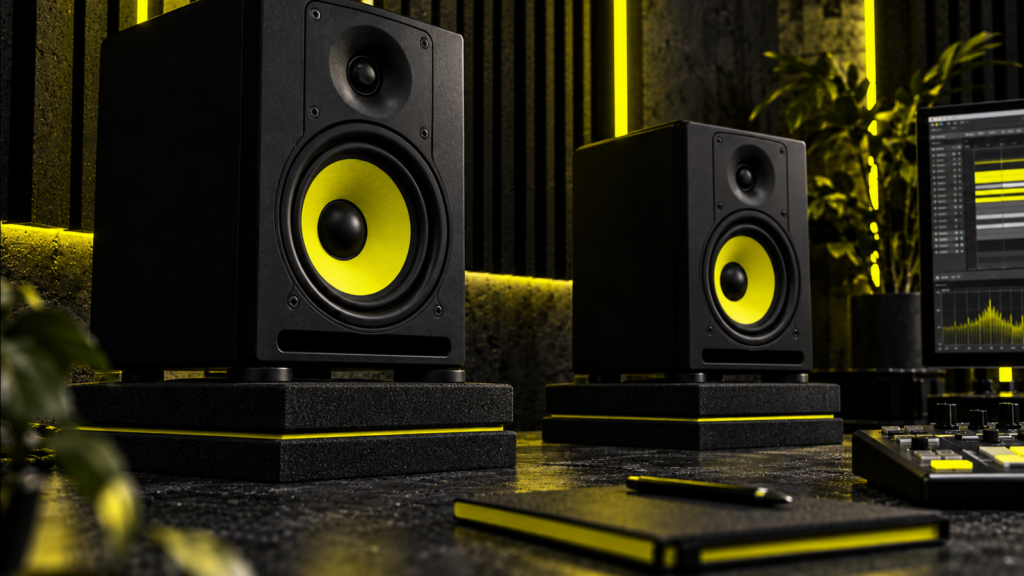
Do speaker isolation pads actually work? They can reduce mechanical vibration travelling from a loudspeaker cabinet into a desk, shelf or stand. That can help when the supporting furniture rattles or resonates. They can also raise or tilt a speaker into a better listening position. But pads are not automatically necessary, and they do not cure room modes, reflections or poor speaker placement.
For a home studio, the useful question is not whether expensive foam looks professional. It is whether your monitors are exciting a resonant surface, whether the pad or stand is correctly sized, and whether the speaker’s acoustic axis points at your listening position. Sometimes a pair of inexpensive pads fixes an annoying desk buzz. Sometimes proper stands or moving the speakers a few centimetres makes a bigger difference. Sometimes nothing needs changing.
These 15 speaker isolation pad FAQs explain what the products can and cannot do, how foam compares with feet, spikes and stands, how to choose and test an option, and whether DIY materials are worth trying. We’ve also checked the existing Amazon links in this guide and kept the two genuine Sound Addicted product listings, with their correct model names.
Updated 31 October 2026. Technical guidance draws on Genelec’s monitor-placement recommendations, its Iso-Pod explanation, and practical monitoring advice from Sound On Sound. Product examples are not independent laboratory rankings. Actual results depend on the monitors, furniture, room and setup.
Speaker isolation pads at a glance
| Question | Practical answer |
|---|---|
| What problem do they target? | Structure-borne vibration and resonance in a supporting desk, shelf or stand. |
| What can they not fix? | Room modes, flutter echoes, first reflections from walls and ceilings, or an unsuitable listening position. |
| Are they compulsory for studio monitors? | No. Useful in particular installations, particularly when furniture visibly or audibly vibrates. |
| What matters when choosing? | Footprint, load capacity, material stiffness/compression, stability, angle and resulting speaker height. |
| Pads or separate stands? | Choose stands where accurate placement and reduced desk reflections are the priority; pads help if speakers must sit on a surface. |
| Can DIY options work? | Sometimes, if stable, properly load-bearing and made of suitable resilient material. They must not rock or collapse. |
| How do you know they helped? | Compare with and without at matched listening levels and as nearly identical a speaker position as possible; check desk buzz separately from tonal balance. |
First understand two different acoustic problems
Mechanical coupling: vibration passed into furniture
When a loudspeaker plays, its drivers create forces that can make the cabinet and the supporting surface vibrate. A lightweight desk panel or loose shelf may then rattle or resonate. A suitably designed compliant support can reduce some of that structure-borne vibration reaching the furniture. The result may be less audible buzzing, less movement in the desktop and a cleaner presentation in a problem setup.
Isolation is not a magic property of every soft material. The effective behaviour depends on the mass of the supported monitor, the stiffness and damping of the support and the frequencies involved. A pad that is almost rigid under a lightweight speaker may have limited effect; material that compresses unevenly under a heavy speaker can be unstable. The best design balances useful compliance with reliable support.
Genelec describes this problem in its Iso-Pod technical overview: contact with a desk can transmit unwanted mechanical vibration to the surface, while the desk can also reflect sound towards the listener. These are related consequences of mounting a speaker on furniture, but they are not the same acoustic mechanism.
Airborne reflections and room modes: a different problem
Even a mechanically isolated speaker still radiates sound into the room. Its energy reflects from the desk, floor, walls, ceiling and equipment. Early reflections can create comb filtering, while the dimensions of the room and speaker/listener positions create bass peaks and nulls through standing-wave behaviour. A foam pad under the speaker does not absorb those airborne waves throughout the room.
Moving or tilting the speaker on a pad may alter a reflection path, which can change the sound at the listening position. But the change may come from placement, not better mechanical isolation. Genelec’s placement guide explains the importance of positioning, symmetry and acoustic-axis aiming; its room-acoustics guide explains why absorption and appropriate treatment address different problems.
If low notes vanish at your chair but return when you stand up, investigate the listening position and room modes before blaming speaker feet. Our guide to sound waves and reflections explores those effects in more depth.
How to tell whether speaker isolation is worth trying
Before you spend money, run a small, controlled check. You do not need laboratory equipment to identify a buzzing desk, but don’t confuse an informal listening test with a calibrated acoustic measurement.
- Check for obvious contact problems. Make sure each monitor sits securely and is not touching a wall, screen, loose cable, keyboard or cabinet door.
- Play familiar material at a moderate, repeatable level. Listen for rattling or sympathetic buzzing from the desktop or shelf, particularly on sustained bass notes.
- Feel for vibration carefully. Touch the desk away from the speaker, not the moving driver. Notice whether a panel resonates, or whether a loose object is causing the noise.
- Change one thing at a time. Remove or secure loose objects first. If you try pads, keep speaker placement, aiming and listening level as close as practical to the original configuration.
- Compare the same audio passages. Ask whether the vibration-related noise actually improved. An apparent tonal difference may simply result from a new height or tilt.
- Check left-right consistency and safety. Both monitors should have stable, level support and an acoustic axis aimed appropriately at the listening position.
- Use measurements for larger issues. If you are investigating bass nulls, room resonances or the position of absorption panels, make repeatable listening-position measurements rather than judging a foam pad by marketing claims.
If you want a more systematic approach to the room itself, see our room acoustics testing guide. For monitoring basics, Sound On Sound recommends symmetrical monitor positioning, a sensible stereo triangle and reducing reflections from the mixing desk.
Speaker isolation pads: 15 frequently asked questions
1. What are speaker isolation pads?
Speaker isolation pads are resilient supports placed between a loudspeaker and a desk, shelf or other mounting surface. Common designs use high-density foam, elastomers or layered materials, sometimes with wedge-shaped pieces to adjust the monitor’s tilt. Their intended mechanical function is to limit vibration transmitted into the support; the wedge or stand design can also change the speaker’s position and angle.
They are not identical to the acoustic foam panels used on walls. A wall absorber is intended to interact with airborne sound; a monitor support is intended to carry a heavy object while changing its mechanical contact with a surface. A piece of packing foam that looks similar may not have the correct stiffness, durability or load capacity.
2. What do speaker isolation pads actually do?
In a problem setup, they reduce coupling between a vibrating speaker cabinet and the supporting furniture, potentially limiting desk resonance or audible buzzing. Some designs also help point the speaker towards the listener, which can improve the listening geometry independently of any isolation effect.
They do not absorb all of the speaker’s bass, soundproof the room or remove acoustic coloration caused by a nearby wall. A producer may hear a more controlled bass presentation if the original desk was resonating; someone using rigid, already well-behaved stands might hear very little change. Results are setup-dependent, not guaranteed.
3. Are speaker isolation pads necessary?
No. They are an optional tool. If your monitors are stable, securely installed on suitable stands and not causing unwanted structure-borne noise, you may not need separate pads. Likewise, monitors with manufacturer-designed isolation feet may already have some vibration control built in.
Start with correct speaker placement and a reliable listening environment. Genelec recommends an appropriately positioned listening triangle and pointing the monitor’s acoustic axis at the ears. Those fundamentals matter even when a pad has excellent mechanical properties.
4. Do I need speaker isolation pads in my home studio?
They are more likely to help if your nearfield monitors sit directly on a lightweight desk, the desktop audibly buzzes or the monitor cabinets make other objects rattle. They may also be useful when you need a small, stable elevation or tilt to aim a low-set speaker at your ears.
They are less urgent if dedicated stands already provide reliable height, stability and isolation. If the primary issue is uneven bass caused by a wall or room mode, the next step is speaker/listener placement and possibly acoustic treatment, not another layer of foam under the speaker. Our room setup guide covers that broader picture.
5. Speaker isolation pads versus spikes: which is better?
Pads and spikes work differently. A compliant pad can reduce some vibration transmission by introducing a resilient layer. A rigid spike makes a small, firm mechanical connection to the support. It can improve stability on particular stands or penetrate carpet to reach a solid surface, but a smaller contact area does not automatically mean better vibration isolation.
Spikes may couple a stand to the floor, especially when used as hard points, while pads generally aim to decouple. The correct option depends on the speaker, stand, floor, load and what is causing the problem. Follow the monitor and stand manufacturer’s advice, and do not put sharp points onto an unprotected floor or unstable furniture.
6. Speaker isolation pads versus stands: which should I choose?
They are not direct substitutes. Stands solve positioning problems: they can raise the monitors, allow better aiming and move the speakers clear of a reflective desk. Pads address contact with the supporting surface and sometimes provide a small tilt adjustment.
For a cramped workstation, foam pads on the desk may be an inexpensive, sensible compromise. When space permits, correctly sized stands that place the acoustic axes at an appropriate height and reduce desk interaction can be more useful than pads alone. Sound On Sound’s room improvement advice favours suitable stands where possible and suggests firm foam supports if monitors must remain on the desk.
7. Should I put isolation pads on speaker stands?
Only if the stand and speaker arrangement needs them. Many studio monitor stands and speaker systems include suitable contact materials already, so adding more may bring little benefit. If a hollow or lightweight stand rings or transmits vibration, a correctly chosen interface may help, but improving stand stability and construction can be equally important.
Before adding a second layer, check the top plate size, safe load, centre of gravity and whether the monitor might slide. A tall, narrow stand with a soft, thick pad can be less secure than a stable manufacturer-approved mount. Do not compromise tip-over safety to chase uncertain sonic improvements.
8. How do pads compare with other vibration-damping methods?
Alternatives include dedicated isolation feet, elastomer mounts, mass-loaded platforms, well-designed stands and manufacturer-integrated supports. These use different combinations of stiffness, damping, mass and geometry. A heavy platform can alter how a speaker and support move; a compliant foot may provide a defined load range and controlled deformation; a tall stand mainly offers more flexibility in placement.
No particular product class is best for every setup. For example, Genelec’s Iso-Pod combines decoupling with aim adjustment, while IsoAcoustics’ ISO stands specify supported load, footprint and tilt options. Compare those practical specifications rather than relying on vague claims of studio-grade “sound purification”.
9. Can DIY speaker isolation pads work as well as commercial pads?
A DIY support can help in a particular installation, but an improvised material is not automatically equivalent to a designed isolation system. The result depends on the supported mass, material stiffness, vibration frequency, contact area and stability. Dense foam, suitable resilient rubber or cork composites may be useful in some configurations; extremely soft packing foam or loose blocks may fail or cause rocking.
Start with a reversible, low-cost test and assess whether it reduces the original desk problem. If the speakers are expensive or heavy, use a tested commercial solution with a declared load capacity rather than guessing. Never make the arrangement unstable or block vents, ports or electrical connections.
10. How can I make simple DIY speaker isolation pads?
For a basic experiment with small desktop monitors, choose appropriate load-bearing resilient material and cut two pairs of matching supports. Measure the speaker footprint and place the supports so the cabinet’s weight is distributed evenly. Ensure the speaker stands level, does not rock and cannot slide forward. If angling is needed, use a stable, controlled wedge design rather than an uneven pile of scraps.
Check the weight and contact-area limits for the material. Repeat the listening test at a consistent level, noting whether desk resonance improves. Stop if the speakers wobble, the material compresses unevenly or the structure is not secure. DIY isolation is a test of a particular mechanical problem; it is not a substitute for safe mounting hardware.
11. What speaker isolation pads are available in the UK?
Two established examples are Auralex MoPAD foam supports and Sound Addicted’s SMPad range. They have different sizes and load recommendations, so check the bottom dimensions and weight of your actual speaker before choosing. An item being sold by a familiar retailer does not prove it will improve the acoustics in your room.
The original Underground Talent article linked to two specific Sound Addicted products; we rechecked both product pages on 31 October 2026:
- Sound Addicted SMPad 8: designed for larger 6.5–8-inch monitors, listed at Amazon UK, ASIN B078PQ7TLD. The existing link still reaches the intended product listing.
- Sound Addicted SMPad 4: designed for smaller 3–4.5-inch monitors and bookshelves, listed at Amazon US, ASIN B07BRPM8K8. This is a product link, not a buyer’s guide; the old article had labelled it incorrectly.
These are examples of existing listings, not laboratory-ranked winners or guarantees of stock. Availability and delivery depend on your location. For a dedicated comparison of options, see our speaker isolation pads buyer’s guide; this article remains focused on the practical FAQ and underlying acoustics.
12. Are speaker isolation pads worth the money?
They can be worth a modest expense if they solve a specific issue: a vibrating desk, unstable placement or a useful tilt adjustment. If you cannot identify any such problem and your speakers already sit securely on correctly positioned stands, adding pads may be a low-priority upgrade.
Spend first on stable speaker placement and a layout that minimises avoidable reflections. If you are struggling with room resonances, a targeted acoustic plan may have a larger effect than changing monitor supports. Sound On Sound’s case study documents a setup in which changing monitor angle helped midrange/high-frequency accuracy but left significant bass problems, illustrating that one adjustment cannot cure every acoustic problem.
13. Are isolation feet a good alternative to foam pads?
Yes, in suitable setups. Individual elastomer feet can support a cabinet without a continuous pad and may provide better-defined isolation when matched to the speaker’s weight. Some products are integrated into the monitor itself. Check load ranges, footprint, the number of feet required, balance and safe installation.
Four small feet are not intrinsically better than two foam wedges, and smaller contact area is not a universal proof of superior isolation. A foot that is over-compressed or overloaded may perform poorly or become unstable. Compare the designed use, not only the shape of the accessory.
14. Do users notice a difference after adding isolation pads?
Some listeners report less desk buzz or a more focused sound, especially when their previous placement was poor. But casual before-and-after impressions mix several possible causes: changed monitor height, altered tilt, different listening level, moving the speakers relative to the wall and genuine mechanical decoupling.
The sensible way to interpret a review is as a description of one person’s setup, not universal evidence. Test the actual problem you want to solve and, where practical, repeat the comparison with matched level and unchanged geometry. Do not claim “guaranteed tighter bass” from an online star rating.
15. Is a speaker L-pad related to speaker isolation pads?
No. An L-pad is a resistive attenuator arrangement used in passive loudspeaker circuits, often to reduce the level of a driver while keeping an approximately suitable impedance load. It is an electrical crossover/level-control component, not a resilient support or vibration isolator.
It will not decouple your monitors from a desk, and you should not add an L-pad to a powered studio monitor as if it were a mechanical isolation accessory. The two terms share the word “pad” but describe different parts of audio engineering.
A short setup checklist before buying any pad
- Identify the main problem: physical desk vibration, a loose object, wrong speaker height, an audible reflection or a room-mode issue.
- Check placement: align the monitor’s acoustic axis with the listening position and aim both speakers symmetrically.
- Measure the monitor: note its base width, depth, weight and any manufacturer mounting guidance.
- Check the support: confirm the pad or feet can safely carry the weight without rocking or slipping.
- Make a controlled comparison: listen at a consistent level, changing as few other factors as possible.
- Don’t overclaim the result: a reduced desk buzz is a success; curing the room’s bass nulls is a different project.
For a fuller explanation of the surrounding room, read our studio monitor isolation guide alongside why room treatment matters. Those subjects deserve separate attention rather than turning every speaker-placement article into another product ranking.
Sources and methodology
This guide distinguishes manufacturers’ explanations and product specifications from general acoustic principles and practical testing. The examples above are not claims that Underground Talent conducted controlled lab measurements on every product.
- Genelec: How to position studio monitors — speaker height, listening geometry, room modes and reflections.
- Genelec: Iso-Pod vibration decoupling — mechanical vibration, desk reflections and angle adjustment.
- Genelec: Improving room acoustics — airborne absorption/reflection and room-treatment limitations.
- Sound On Sound: Monitoring and acoustic-treatment guidance — monitoring triangle, desk interactions and isolation supports.
- Sound On Sound: Room improvement — desk versus stand mounting and practical vibration control.
- Sound On Sound: Reflective surfaces case study — effects and limits of monitor repositioning.
- Auralex: MoPAD specifications; IsoAcoustics: ISO stands; and Sound Addicted: pad models and sizing — manufacturer-supplied specifications, not independent product rankings.
Final thought: buy speaker isolation pads to solve a real mounting or vibration problem, not because every studio photo shows them. Stable support, sensible positioning and careful listening come first.