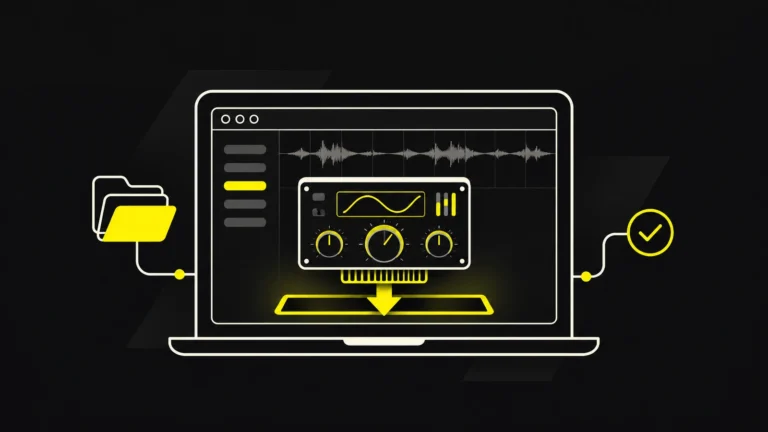
To test your room acoustics, listen for obvious echoes and bass problems first, then use a calibrated measurement microphone and free software such as Room EQ Wizard (REW) to measure what your speakers actually do at the listening position. A proper test can show peaks and dips in frequency response, low-frequency resonances, long decay times and differences between the left and right speakers. Those findings help you choose sensible monitor positions and acoustic treatment instead of buying foam at random.
You can perform a useful first assessment without buying anything. For repeatable measurements, however, you will need a known sound source, a compatible measurement microphone and a consistent setup. This guide explains both approaches, with a practical workflow aimed at small home studios, bedroom production spaces and electronic music listening rooms.
Quick answer: Make a listening checklist, position your speakers and seat consistently, measure the left and right speaker separately in REW, examine frequency-response and decay plots, move one thing at a time, then measure again. An SPL meter alone cannot tell you whether a room has accurate acoustics.
Room acoustics testing: what are you actually measuring?
A studio monitor produces sound, but you do not hear the monitor in isolation. You hear its direct output mixed with reflections from the desk, floor, ceiling and walls. Low-frequency waves interact strongly with the room dimensions, creating reinforced notes and cancellations that change with speaker and listener position.
Four practical questions matter most for music production:
- Frequency response: Are certain frequencies much louder or quieter than neighbouring frequencies at your seat?
- Low-frequency decay: Do bass notes continue ringing after the speaker stops playing them?
- Early reflections and stereo symmetry: Are the left and right speakers affected similarly by the room, and can you place sounds accurately in the stereo field?
- Noise and listening level: Is there a background hum, ventilation noise or other distraction? Are your monitoring levels safe and consistent?
There is no single measurement that describes everything. A room can be quiet yet have severe bass problems; it can have pleasant short reverberation but a deep cancellation at the listening position. Good testing combines listening, measurements and practical changes.
What equipment do you need to test room acoustics?
| Tool | What it helps with | Is it essential? |
|---|---|---|
| Your existing speakers and a few familiar reference tracks | Spotting obvious tonal balance, echo and stereo problems | Yes for listening tests |
| Tape measure and notebook | Recording room dimensions, speaker positions and changes | Highly useful |
| Computer with Room EQ Wizard | Frequency-response, impulse-response and decay measurements | For the measurement workflow |
| Calibrated measurement microphone, such as a compatible USB measurement mic | Reliable frequency-response measurements and, with suitable calibration data, SPL readings | For meaningful repeatable measurements |
| Microphone stand at ear height | Keeping the measurement position and angle consistent | Strongly recommended |
| Sound level meter | Checking sound pressure level and background noise | Optional; not a substitute for frequency-response testing |
REW supports several microphone arrangements. The official Getting Started guide describes calibrated USB microphones, analog measurement microphones with an interface and other input configurations. A general-purpose laptop or phone microphone may help with rough comparisons, but an uncalibrated frequency response should not be treated as a trustworthy picture of the room.
If using a miniDSP UMIK-1 or UMIK-2, obtain the calibration file for that particular microphone’s serial number. miniDSP provides separate files for an on-axis orientation, pointing at a source, and a 90-degree orientation, pointing upwards. Load the file that matches your actual measurement orientation rather than combining the two. See miniDSP’s UMIK and REW setup instructions.
Before buying a mic: five listening tests you can do for free
1. Listen for flutter echo
Stand between parallel hard surfaces and clap once at a moderate level, or use a short click sound. A rapid metallic or fluttering series of reflections can indicate repeated bouncing between reflective surfaces. This is a quick clue, not a quantitative measurement, and it will not identify every reflection problem at your actual listening seat.
2. Check whether bass notes change around the room
Play a familiar bassline quietly, then move from your normal seat to a few other points in the room. If individual notes suddenly boom or disappear, the speakers and room are creating strong position-dependent effects. The result may be caused by standing waves, boundary interference or both. Make a note of where changes occur; do not assume the speakers themselves have an uneven response everywhere.
3. Compare left and right speakers individually
With a mono voice or reference sound at a comfortable level, listen to the left speaker alone and then the right. Big differences in clarity, tone or imaging can be caused by asymmetrical nearby surfaces, different speaker distances or one speaker being closer to a wall. Keep the playback level the same.
4. Listen to quiet parts of a recording
Pause the music. Can you hear computer fans, traffic, ventilation, electrical hum or other noise? A noisy room does not necessarily have poor frequency response, but background noise makes editing, recording and low-level listening harder.
5. Compare on familiar headphones
Headphones bypass much of the acoustic influence of the room, making them a useful second reference. If bass sounds overwhelming at the desk but balanced on familiar headphones, investigate the room and speaker setup before cutting all the bass from your mix. Headphones have their own frequency response, so they are a comparison tool, not an absolute reference.
Write down the observations before changing anything. A measurement is most useful when it helps answer a question you have already heard.
How to measure room acoustics with REW: step by step
The following setup is intended for a stereo pair of studio monitors in a small room. Use the application and microphone manufacturer’s instructions for your specific system, particularly if you have a subwoofer, DSP correction, multiple speakers or unusual routing.
Step 1: Document your room and existing setup
Measure room length, width and height, then note where the desk, speakers, listening chair, doors and large furniture sit. Save a photograph or simple sketch of the original setup. Record the distances between your listening position and each speaker. This gives you a baseline and makes it possible to reverse changes that do not help.
For ordinary stereo monitoring, Genelec’s placement guidance recommends aiming the speakers at the listener in an approximately 60-degree stereo arrangement, maintaining left-right symmetry where possible and avoiding the room’s exact centre as a listening position. These are starting principles; actual measurements should guide final placement.
Step 2: Install REW and configure the microphone
Download REW from its official site. Connect the calibrated microphone, select it as the input in REW, and choose your monitor/interface output device. Load the appropriate mic-specific calibration file. If your hardware supports multiple sample rates, keep input and output settings consistent as directed by the relevant equipment instructions.
Mount the microphone on a stand at the usual listening position with the microphone capsule approximately at ear height. Do not hold it in your hand: moving the mic makes comparisons unreliable. Point it as required by the specific calibration file and the method you are using.
Step 3: Set a comfortable test level
Lower the monitoring volume before playing a test tone or sweep. Follow REW’s Check Levels prompts and gradually increase the signal until it can be measured reliably without clipping the input or making the room uncomfortably loud. The miniDSP setup example demonstrates a moderate measurement level, but that example is not a mandatory target for every room or person.
Protect your hearing and speakers. Avoid extended loud sweeps or high-level sine tones. Never assume that a low digital output setting guarantees a safe real-world level when an amplifier or powered monitor may still be turned up.
Step 4: Measure the left speaker on its own
In REW choose the left output channel, select an appropriate frequency range and run a sweep using the application’s measurement dialog. For a full-range check, the manufacturer’s illustrated workflow shows a 20 Hz–20 kHz sweep, but use your speaker’s capabilities and a safe level. Name the result clearly, for example Left – position A – before treatment.
Step 5: Measure the right speaker separately
Repeat the test without moving the microphone or changing the volume. Name the measurement Right – position A – before treatment. Single-speaker sweeps make it easier to detect differences between the two sides, while simultaneous playback can introduce interference and confuse your interpretation. If you have a subwoofer, measure it and the combined system using a documented, repeatable method.
Step 6: Take a few measurements around the listening position
A single point can reveal an extreme null that is only a few centimetres wide. Move the microphone slightly forward, backward and to either side of your normal head position, keeping its height and orientation consistent, and take a small group of measurements. This does not mean averaging away genuine problems: it helps show whether an issue is localized or affects the wider listening area.
Step 7: Save your measurements, then change one variable
Save the REW project or measurement files and record the speaker and chair positions. Move the listening seat a small distance, change a speaker’s distance from the wall, or experiment with an absorber position, but do one change at a time. Repeat the same measurements at the same level and compare the overlays. An improvement that you can both hear and measure is far more useful than a prettier isolated graph.
How to read a frequency-response graph
A frequency-response plot displays frequency on the horizontal axis and measured level on the vertical axis. If a part of the curve is much higher than neighbouring frequencies, that region may sound exaggerated at the measurement position. A deep dip may indicate cancellation, speaker interaction or another response problem.
Expect some variation, especially in an untreated small room. A perfectly flat measured line is not a realistic expectation, and the appearance of a graph depends on the windowing, smoothing, calibration and measurement location.
| What you see | Possible explanation | Useful next check |
|---|---|---|
| Broad low-frequency hump | Room/boundary reinforcement or resonant peaks | Move speaker or listener and measure again |
| Very deep narrow bass dip | Cancellation or listening-position null | Try a different seat or speaker position before boosting EQ |
| Left and right curves differ strongly | Asymmetric placement or reflection paths | Check distances, walls, furniture and individual channel routing |
| Fine jagged detail at high frequencies | Comb filtering and measurement sensitivity | Check smoothing and nearby reflective surfaces |
| Response changes over a few centimetres | Position-dependent room interference | Compare several nearby measurement points |
REW offers different smoothing options. Apply the same smoothing to two measurements when comparing them, and look at unsmoothed or lightly smoothed low-frequency data when investigating narrow cancellations. Heavy smoothing can hide the very problem you are looking for.
What are room modes, and how can you spot them?
Room modes are resonant patterns associated with the dimensions and boundaries of an enclosed space. They can produce bass peaks and nulls at different locations. In a small production room, they are one reason the kick and bass can sound balanced at the desk yet excessive or weak elsewhere.
For a simple rectangular room, an axial mode across one dimension is approximated by:
Frequency ≈ speed of sound ÷ (2 × room dimension)
Using about 343 metres per second at typical room temperature, a room dimension of 4 metres gives a first axial mode near 43 Hz. Other room dimensions and higher-order modes create additional resonances. This is only a simplified prediction, not a guarantee that your room has a dominant audible peak at that exact frequency.
To investigate a suspected mode, compare the frequency-response curves from nearby listening positions and inspect decay measurements. Peaks that linger for longer in the low frequencies can indicate resonant energy. See our guide to sound waves and reflections for the underlying physics.
Impulse response, early reflections and stereo imaging
An impulse response represents how the system and room react over time to a very short event, obtained in REW from a measurement sweep. Its early portion is dominated by direct sound, followed by reflected sound arriving from surfaces and objects.
Why does this matter? Strong early reflections can change the tonal balance and clarity of a speaker, and left-right differences can affect imaging. A desk, side wall or ceiling can create reflections even when the room does not sound obviously echoey.
Rather than immediately covering every wall in foam, check whether the speaker is aimed correctly, whether one side wall is closer than the other, and whether the desk surface is creating a strong reflection. Genelec emphasizes symmetry and monitor orientation for consistent stereo imaging.
A mirror check along the side wall may help locate a plausible first-reflection path, but it does not replace a proper impulse measurement or account for all frequencies. Absorber thickness, mounting and material properties determine whether a treatment is effective; thin decorative foam generally cannot solve deep-bass problems.
What do waterfall plots and RT60 measurements tell you?
Waterfall: how long frequencies keep ringing
REW’s waterfall plot shows how the measured frequency spectrum changes over time. Long-lasting ridges at low frequencies may point to resonances that make certain bass notes ring longer than others. The official REW Waterfall documentation explains how time windows, resolution and smoothing affect these plots.
Be careful comparing two waterfall images with different scales, window settings or time ranges. A graph can look dramatically better or worse just because the plotting parameters changed. Use matching settings and repeatable measurement levels.
RT60: reverberation time needs context in small rooms
RT60 is conventionally the time associated with a 60 dB decay in a sound field. REW can estimate decay parameters from measured responses, but small domestic studios do not necessarily behave like large, diffuse reverberant halls. Low-frequency resonances and short, irregular decay curves can make a single whole-room RT60 number misleading.
For a bedroom studio, examine the frequency-dependent decay together with impulse responses, listening and speaker-position tests. Avoid treating a claimed universal target such as “every room must measure exactly 0.3 seconds” as a requirement. What is desirable depends on room volume, intended use and frequency range.
How to fix the problems your measurements reveal
Measure first and correct in a sensible order. Position is often the cheapest variable to test.
| Problem | Try first | Consider later |
|---|---|---|
| Strong bass peak or dip | Move listening position and speaker distance from boundaries | Proper bass trapping and carefully limited EQ |
| Strong early reflection | Adjust speaker aim, desk placement and reflective objects | Absorbers at relevant reflection points |
| Uneven stereo image | Correct left-right distances and height; inspect symmetry | Targeted treatment on unequal surfaces |
| Excessively long low-frequency decay | Check speaker/listener position and room resonances | Appropriately designed low-frequency absorption |
| Noise, rattling or hum | Identify fans, loose objects, cables and electrical issues | Isolation, repair or specialist diagnosis |
Acoustic panels and bass traps can help when chosen for the actual problem and placed correctly. They are not interchangeable products, and appearance does not indicate performance. Our room-treatment placement guide explores practical locations; why room treatment matters explains the reasons behind these choices.
Can room correction EQ fix a bad room?
Equalization can be useful after you address major placement and treatment problems, particularly for reducing some persistent, sufficiently broad low-frequency peaks. But a deep cancellation caused by path-length differences may not improve meaningfully by applying a large boost. Increasing gain can waste amplifier headroom, stress a speaker and make the response worse elsewhere.
The REW EQ documentation discusses filter targets, headroom and the importance of not asking EQ to do more than the speaker can deliver. Try physical changes first, use conservative filters when necessary and measure at more than one position.
Remember that EQ does not remove the time-domain effects of every reflection or fix poor acoustic isolation. A corrected curve measured at one point can hide problems a few centimetres away.
Three affordable room-acoustics testing setups
| Setup | What you can learn | Main limitation |
|---|---|---|
| No-purchase listening audit: reference tracks, claps, mono checks, tape measure and notes | Obvious echoes, bass hotspots, image problems and background noise | Subjective and not calibrated; cannot provide trustworthy frequency plots |
| DIY measurement setup: calibrated USB mic, stand and REW | Repeatable frequency response, impulse behaviour and decay comparisons | Requires careful setup, calibration and interpretation |
| Specialist measurement: acoustician or experienced studio designer | Broader diagnosis, integrated treatment plan, specialized tests | Professional cost and availability |
There’s no need to hire a specialist for every small adjustment. If your room has severe low-frequency problems, structural noise, unusual geometry, important client work or isolation requirements, professional measurement and design may prevent expensive trial-and-error purchases.
How to document a before-and-after test
A proper comparison is not “my new acoustic panel feels better.” Keep a simple record:
- Baseline: Room dimensions, speaker and seat positions, monitor gain, mic position, calibration file and first left/right measurements.
- Change: Exactly one adjustment, such as moving each monitor 10 cm closer to a boundary or changing chair position.
- Repeat: Same mic height and orientation, same output level, same sweep configuration and matching graph scales.
- Listen: A few familiar tracks at comparable levels, particularly passages with different bass notes and clear stereo detail.
- Decide: Keep, reverse or modify the change based on both the measurements and listening. Save the files with understandable names.
Don’t confuse a small improvement in one narrow band with an overall better listening setup. A change that fixes a dip but destroys symmetry or creates a bigger peak elsewhere may not be worthwhile.
Common room-acoustics testing mistakes
- Using a phone SPL app as a frequency-response analyzer: A rough level indication cannot substitute for a calibrated measurement microphone and controlled sweep.
- Measuring both speakers together first: This can obscure different problems on the left and right. Measure them individually before investigating the combined stereo result.
- Holding the microphone: Your hand and moving position change the measurement. Use a stand for comparisons.
- Changing speaker location and treatment together: You will not know which adjustment improved the result. Change one variable at a time.
- Comparing graphs with different smoothing or axes: The shape may appear different because of display settings, not room changes.
- Buying thin foam to fix deep bass: Absorption depends on material, thickness and placement; thin decorative treatment rarely solves low-frequency modes.
- Boosting every deep dip with EQ: Cancellation may not respond usefully, and excessive boost can create overload and worsen sound elsewhere.
- Using a single universal RT60 target: Small-room behaviour is frequency-dependent and depends on the intended use.
Frequently asked questions about testing room acoustics
How can I test my room acoustics for free?
Begin with familiar reference music, mono left/right comparisons, a clap test for flutter echo and careful bass listening at different positions. Record what you hear and the speaker layout. If you have access to an existing compatible calibrated mic, the free REW application can add objective measurements.
What is the best free software for measuring room acoustics?
Room EQ Wizard (REW) is a well-established, freely available tool with frequency response, impulse response, waterfall and other acoustic analysis features. The quality of its results still depends on proper microphone calibration and measurement technique.
Do I need an expensive measurement microphone?
No. You need a suitable, correctly calibrated measurement device, not necessarily the most expensive microphone. A compatible USB microphone with its own calibration file is a practical route for many home studios. Use the manufacturer’s calibration instructions.
What is a good RT60 time for a home studio?
There is no universal value for every room and frequency. The room volume, listening purpose, measured decay behaviour and bass resonances all matter. Use RT60-related figures as one diagnostic alongside response, decay plots and listening rather than treating one number as a guarantee.
Why does my bass sound different across the room?
Room modes and cancellations alter how different bass frequencies build up at different positions. Moving the listening seat or speaker position can change the response substantially, even without changing the speaker settings.
Can I fix my room with acoustic foam alone?
Usually not. Thin foam can absorb some mid- and high-frequency energy but is generally ineffective against deep bass modes. More suitable low-frequency absorption, better placement and careful measurement may be needed.
Can I measure room acoustics with headphones?
Headphones are useful as a comparison for your speaker listening, but they do not measure the room’s speaker response. Room measurements require sound in the room to be captured by an appropriate microphone.
Final thoughts: measure, adjust and measure again
The goal of room-acoustics testing is not a perfect-looking graph; it is a monitoring setup that helps you make consistent, confident musical decisions. Begin with your ears, document your layout, then use repeatable measurements to investigate the problems that matter. A measured improvement from moving your chair can be more valuable than a stack of treatments installed without a plan.
For electronic music producers, start by understanding the kick and bass at the normal listening position, then work on symmetry and reflections. Take one action, verify the result and keep what works. If you are building a new studio, our room acoustics guide for small spaces and home studio monitors guide provide further context.
Measure the room you have before designing the room you want.