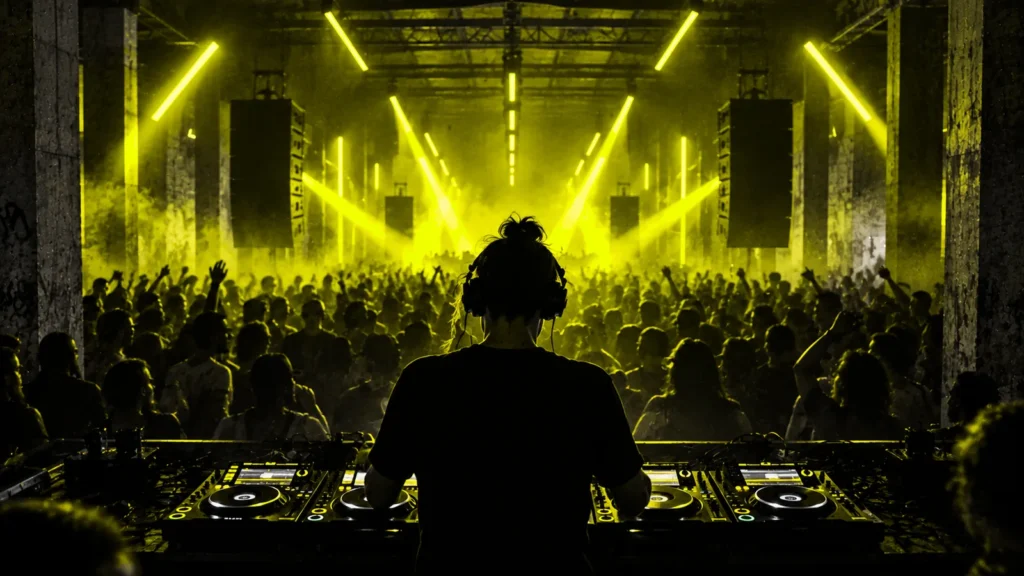
How do you DJ at a rave for the first time? Learn to mix reliably, understand the event’s musical direction, confirm the exact equipment in the booth, prepare compatible music and backup media, then arrive early enough to test everything before the room is handed to you. Once you’re playing, your job is not to execute a rigid playlist. It’s to listen, control the sound and build a set that works with the people and the DJ before and after you.
A rave is not one fixed genre or venue format. You might play hypnotic techno in a licensed club, jungle at a community all-nighter, house at a festival or psytrance in an outdoor setting. The practical skills overlap, but the audience, running order, stage configuration and available equipment can be entirely different. The strongest preparation is specific to the event.
This guide is for DJs moving from bedroom practice to a real rave or club setting. It covers what to learn, what to bring, how to organise and export your library, how to soundcheck, beatmatch and shape a set, what to do when a player or track fails, and how to get repeat bookings. If your aim is to organise a party rather than perform at one, read our separate techno event planning guide.
Reviewed 2 November 2026. Hardware instructions are based on AlphaTheta/Pioneer DJ’s current official compatibility guidance; exact features depend on the player, firmware and software version. Hearing-safety guidance comes from the World Health Organization. All practice timetables below are suggestions, not guarantees of becoming a professional DJ.
Your first rave DJ set: the short checklist
- Know the booking. Confirm music policy, set time and duration, performance fee, arrival time, stage setup and who your technical contact is.
- Learn the booth. Ask for player, mixer and firmware models; don’t assume every festival or club uses the same setup.
- Prepare your library. Check audio files, beatgrids, cue points, playlists and compatibility with the actual players.
- Export two tested backups. Verify both USBs on suitable equipment and retain a recovery plan that fits the venue.
- Practise transitions. Match tempo, phrasing and levels, and rehearse recovery when a transition goes wrong.
- Plan the arc. Prepare an opening, several possible routes through the music and a sensible handover.
- Pack and travel early. Bring headphones, your confirmed media and required adapters without relying on unapproved equipment swaps.
- Soundcheck properly. Check the correct channels, cueing, output meters and booth monitors with the engineer.
- Respect the sound system. Keep channel and master levels out of clipping; only authorised technical staff should change system limiters.
- Look after the room. Respect other performers, dancers and venue policies, including hearing protection and personal boundaries.
- Finish cleanly. Leave time for the next artist, preserve their opening, and remove your media only when safe.
- Follow up. Confirm payment, thank the crew and review a recorded set or notes to improve next time.
1. Understand the role before you build the set
A rave DJ is not hired simply to maintain a constant maximum energy level. You are responsible for a part of a larger night. That might mean introducing dancers to the sound at 10 PM, supporting an established headliner at midnight, or resetting the room after an intense performance. A successful opening set can sound restrained; a strong closing set can become deeper and stranger instead of faster.
Ask the promoter or musical programmer what they expect. Find out who plays immediately before and after you, what kind of music the event is built around, whether there are live acts or long equipment changeovers, and whether the audience is likely to arrive all at once or gradually. If the musical identity is unfamiliar, listen to mixes from the residents and artists booked on the same night.
Different rave scenes draw on techno, house, breakbeat, jungle, drum and bass, hardcore, trance, electro and other sounds. Do not assume that an outdoor event means you should play louder music, or that a warehouse means you must play industrial techno. For a more useful musical map, see Underground Talent’s techno subgenres guide and guide to the techno dancefloor experience.
What makes a good first set?
Good selection, an appropriate running order, reliable timing, balanced levels and the ability to respond when the floor changes. Smooth technique helps, but a technically perfect run of unsuitable records is not necessarily a better set than a few simple transitions between the right tracks. A DJ who understands the room can leave a stronger impression with less music.
Be respectful of residents and earlier DJs. Don’t turn up with a rehearsed peak-time show and insist on playing it unchanged if the floor is just opening. Equally, do not imitate someone else’s set entirely. Know your musical identity and be flexible about how you express it.
2. Learn the equipment you will actually use
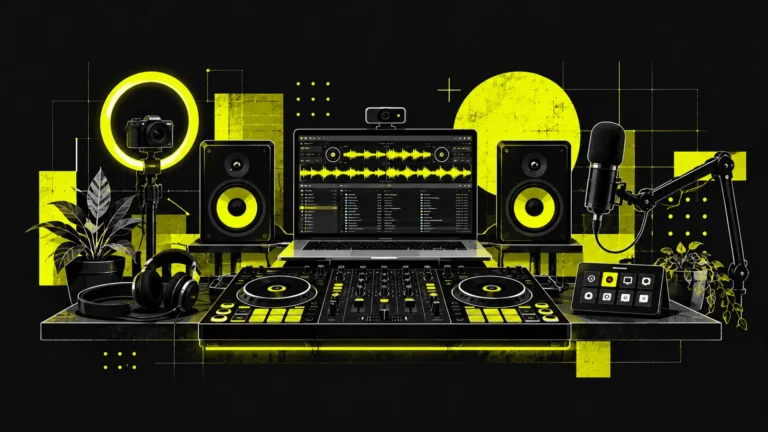
You do not need to own the world’s most expensive setup to learn. A reliable controller, headphones and DJ software can teach nearly every fundamental skill required in a venue. The problem appears when you assume your home controls, library format or software behaviour will be identical on unfamiliar club hardware.
| Setup | What it does | Pre-gig question |
|---|---|---|
| DJ controller and laptop | Controls deck playback, cueing, mixer channels and performance software. | Is laptop/controller use agreed with the promoter and engineer, including all connections and space? |
| Standalone media players and mixer | Plays supported files from prepared media; the mixer manages audio channels and effects. | Which exact player and mixer models, export library formats and input assignments will be available? |
| Turntables and mixer | Plays vinyl records, often using pitch control and physical cueing. | Are decks, suitable cartridges, isolation, slipmats and working phono channels provided? |
| Live hardware or hybrid set | May include drum machines, synths, sequencers or a computer alongside DJ sources. | Who approves inputs, DI boxes, power, monitoring, changeover time and emergency routing? |
The safest gear choice is the one you can operate with confidence and which the venue has confirmed. You can learn on inexpensive equipment and still play professional systems after a proper practice session. Conversely, buying an expensive player won’t fix an unorganised music library.
Understand the booth signal path
Before your set, trace where the audio comes from and where it goes. A typical standalone setup has players connected to channels on a DJ mixer, a master output feeding the front-of-house system, booth monitoring feeding the DJ speakers, and headphone cue controls that let you listen to a channel before the audience hears it.
The channel’s input selector must match the actual source, such as digital or line. The trim/gain control sets the incoming signal level, the EQ shapes its balance, and the channel fader or crossfader brings it into the mix. The booth monitor level is separate from the house volume on many mixers. Learn what is in your hands and leave the PA system’s system-level controls to the engineer.
AlphaTheta’s official DJM-V10 manual resources show how individual controls and input assignments work. Other mixers, such as Allen & Heath Xone models, differ significantly in EQ and filter design. Ask for the manual or a booth walkthrough if you are unfamiliar with the particular unit.

3. Prepare the music library before the night
Good mixing starts before you touch the faders. A well-organised library tells you what a track sounds like, what energy it carries, where you can safely start and finish a transition, and which files are guaranteed to open on the performance setup.
Choose tracks for the slot, not for a fantasy headline show
Build a pool larger than the music you expect to play. For a one-hour slot, you might prepare roughly 25–40 plausible tracks, then use far fewer depending on track length and mixing style. This is an example of working room, not a rule that every techno DJ must change tracks every two minutes. A carefully paced hypnotic set may use long passages, while faster broken-beat programming may change more often.
Group music by useful qualities: opening textures, steady grooves, deeper material, peak moments, rhythmic resets, closing tracks and a small set of reliable fallbacks. BPM and musical key are helpful metadata, but a playlist sorted only by BPM misses emotional intensity, density and timbral compatibility.
Check file integrity and analyse the tracks
Use files you legitimately obtained and know will load in the intended environment. Listen through new tracks, especially their first and last minute, check for corrupt exports and unintended silence, and confirm the format and sample rate against the specific player manual. WAV, AIFF, MP3 and FLAC compatibility varies across models and firmware; there is no single format promise for every club player.
Analyse beats in your DJ software, then check the beatgrids manually. The software can misinterpret a track with a loose opening, tempo changes, unusual time signatures or broken-beat structure. Mark important cues at safe mixing points, first full kick, breakdown, unusual transition or final outro. In Serato, for example, the official cue-point guide explains its saved markers; other DJ platforms have their own limits and behaviour.
Don’t fill every track with cues just because the software allows them. A few reliable markers you understand are more useful than colours and labels you cannot interpret in a loud, dark room.
4. Check USB compatibility: OneLibrary versus Device Library in 2026
This is an essential pre-gig check. In March 2026, AlphaTheta published an official warning about different USB library formats. Some newer players use OneLibrary (previously Device Library Plus), while older products use the conventional Device Library. A USB stick’s music files may still exist even when a particular player cannot browse the expected playlists.
| Player/system family | Library format in AlphaTheta’s March 2026 compatibility guidance |
|---|---|
| CDJ-3000X, XDJ-AZ, OPUS-QUAD, OMNIS-DUO | OneLibrary |
| CDJ-3000, CDJ-2000NXS2 and older compatible CDJs | Conventional Device Library |
| XDJ-XZ, XDJ-RX3 | Conventional Device Library |
AlphaTheta withdrew CDJ-3000 firmware 3.30 after some USB playlists failed to display; its January 2026 notice confirmed that the CDJ-3000 had returned to Device Library. This table is a snapshot of the March 2026 guidance, not a complete list of later hardware releases. Compatibility can change with firmware and software, so check the current manufacturer compatibility table for your exact player. Never update the firmware of venue equipment without the technician’s approval. AlphaTheta’s March 2026 notice states that rekordbox 7.2.11 or later can generate both library formats. Its detailed OneLibrary export guide covers rekordbox 7.2.12 or later, including how to check and synchronise mismatched libraries. Use the latest supported software and back up existing media before conversions. The safest approach is not to assume an old export will work but to test on the actual hardware or a suitable identical setup.
USB preparation checklist
- Ask the promoter for exact media-player models and, if possible, firmware. Don’t accept “Pioneer decks” as sufficient detail.
- Use current supported rekordbox export procedures for that family of players and check the relevant library format.
- Export your prepared playlist and supporting tracks onto a reliable, compatible USB device with sufficient capacity. Use the file system recommended by the model’s manual.
- After export, safely eject the USB and inspect it on a compatible player, not only your computer. Check playlists, tracks, beatgrid, memory cues and hot cues.
- Prepare a second independently verified USB. If practical, retain a separate secure backup of the source files and library on a computer or drive you can access.
- Have an emergency playlist of familiar tracks that can be loaded without relying on an elaborate cue routine.
Exporting, safely ejecting, testing and backing up are separate steps. A folder of audio files copied onto a USB is not necessarily the same as a properly exported rekordbox library with all metadata. Likewise, a USB prepared for Serato laptop performance does not automatically become a compatible standalone-player library.
For current troubleshooting, AlphaTheta has an official rekordbox 7 OneLibrary FAQ and an export compatibility reference. Read those before the event rather than trying to learn new library-conversion procedures while dancers are waiting.
5. Learn the transition skills that matter in a club
Beatmatching by ear, with and without sync
Beatmatching means aligning the rhythmic pulse of two recordings. Start by finding the first clear downbeat on each track, matching their tempo, then correcting the drift as they play together. A small difference in speed produces a continuous slip in phase; a jog adjustment can correct the momentary alignment but not an underlying tempo mismatch.
Practise manually with the pitch fader and headphone cue, even if you normally perform with sync. Sync is a legitimate performance tool, but it depends on correct beatgrid and compatible player/software behaviour. If a sync display, grid or connection fails, you should still be able to find a beat and make a transition by listening.
Phrasing: mix the structure, not just the BPM
Electronic dance tracks often change in repeating phrases, but the phrase length is not universal. Many techno and house arrangements use 16- or 32-bar sections; other styles, especially broken-beat, experimental or live material, may work differently. Count significant transitions: when percussion appears, an atmospheric layer disappears, or a bass pattern changes.
Start a new record at a point that makes musical sense against the old one. Two tracks at exactly the same tempo can still fight each other if both drop a huge bassline or break down simultaneously. Use the arrangement as your map; treat cue markers as aids rather than unquestionable instructions.
EQ and low-frequency control
Two strong kicks and basslines playing together can create an uncontrolled, muddy mix. Introduce the incoming record with deliberate control of its low frequencies, then transfer bass weight when the phrase calls for it. Depending on the mixer, the EQ or filter may attenuate frequencies differently. There is no universal setting such as “turn the bass all the way down on every transition.”
Use your headphones to check the incoming track, listen to the actual PA during the overlap and adjust for the system and music. Keep an ear on the kick’s transient, not just how loud the sub feels. A good mix can be a restrained blend, a short clean cut or an intentional rhythmic contrast.
Harmonic mixing and effects
Key analysis can help avoid obvious clashes when two melodic tracks overlap, but electronic music includes atonal textures, drones, percussion and ambiguous tonal centres. Do not let a compatible-key wheel overrule a transition that works by ear. Keep effects under control; a reverb wash, delay or filter sweep can be effective precisely because it is used sparingly.
6. Practise a realistic set instead of memorising a playlist
A useful routine builds technical habits and decision-making together. For more focused exercises on phrasing, EQ and set programming, see our techno DJ skills guide. Here is an illustrative four-week pre-gig plan for someone who already understands basic playback. It is not a promise of proficiency in four weeks; some DJs will need substantially more time.
| Week | Focus | Practical exercise |
|---|---|---|
| 1 | Library and beatmatching | Prepare 30 candidate tracks; correct grids and cues; record ten simple transitions with no effects. |
| 2 | Phrase and EQ control | Build three contrasting 20-minute runs: restrained opening, rhythmic peak, deeper reset. |
| 3 | Unplanned decisions | Play a 45–60 minute set without a fixed track order; change direction after a few selections and practise recovering from mistakes. |
| 4 | Show simulation | Perform on the closest possible setup to the venue; check exports and backup devices; rehearse the handover and a safe finish. |
Record practice sets and listen without watching the waveforms. Are there big loudness jumps? Does a transition arrive too early? Did you introduce several tracks in a row that all demanded peak-time attention? Good practice is less about counting hours and more about identifying what you are actually improving.
Don’t over-plan the energy
You should have ideas for an opening and closing, plus routes through your library, but leave space for the room. A set that was thrilling at home may need different pacing when half the guests are still arriving. A fixed track list is useful for a rehearsal or live show with synchronised visuals; in a typical DJ slot, treat it as one possible version of the night.
7. Record a demo mix that fits the promoters you want to reach
You need a listenable demonstration of the music you play, not a studio-perfect advertisement filled with voice tags. A 30–60 minute recorded mix can be enough to show selection, rhythm and direction if it suits the type of event you are targeting. For certain resident applications, the promoter may prefer a longer set. Ask what they want instead of sending the same link everywhere.
- Select a clear musical direction that fits the nights you would genuinely like to play.
- Record a continuous performance with realistic transitions rather than an entirely cut-and-paste composition presented as a live mix.
- Review the mix for clipping, sudden level changes, confusing transitions and long stretches where nothing develops.
- Title and describe it clearly, with a short explanation of the musical direction and a way to contact you.
- Use an appropriate service and respect its music-licensing and upload rules.
- Send a concise message to a promoter who actually books your sound; include one link rather than oversized attachments.
Copyright matters. According to SoundCloud’s own DJ-mix upload guidance, mixing other artists’ tracks does not automatically grant permission to upload those tracks to SoundCloud. Mixcloud has licensing arrangements for qualifying longer shows, but its content, artist-frequency and other rules still apply. A music file you bought is not equivalent to unrestricted online distribution rights.
For approaching venues and getting the next booking, our local DJ gigging guide focuses on practical relationships, communication and building a reliable record.
8. Confirm the booking and technical rider
Before accepting a set, confirm what the event actually is and whether the venue and organiser are credible. The exact address, licensing and event-safety responsibilities belong to the organiser and venue, but a performer should not ignore obvious problems simply because the night is called underground.
The questions to ask the promoter
- Who is the booker? Confirm the organiser’s identity and the person responsible for payment and technical questions.
- When exactly do you play? Get start, finish, arrival and soundcheck times; check who precedes and follows you.
- What is installed? Get precise player, mixer, monitor and microphone models where relevant; agree any extra equipment in advance.
- What is the fee? Clarify performance payment, invoice/deposit, date, currency, travel and accommodation.
- What may be recorded? Agree photography, set recording, streaming and promotional use separately.
- What are the site policies? Understand door access, passes, guest lists, photography rules, venue curfew and welfare reporting.
For a worked rate calculation and booking agreement checklist, see our 2026 guide to DJ prices and contracts. A professional first booking is not necessarily a high-paying one, but it should at least have terms you understand.
9. The final 24 hours: soundcheck, levels and handover
What to pack
Pack your main prepared USB, independently tested backup USB, headphones, relevant permitted adapters, a charging solution if needed, confirmation details and contact number, and comfortable clothes for a long evening. If you use vinyl, controllers or live hardware, build a detailed equipment list based on the actual rider. Never assume there will be free table space or spare electrical sockets for gear the promoter did not approve.
Check travel plans and allow a sensible margin for delay. Know where the artists’ entrance is and who can admit you. Do not turn up seconds before your set and expect the engineer and previous DJ to solve your technical uncertainties.
What to do at the booth
- Introduce yourself to the current DJ and technical lead. Ask how the handover is planned and avoid touching equipment that is in use without permission.
- Identify the actual player sources, mixer channel assignments, cue buttons, crossfader configuration and monitor controls.
- Load and audition a known track on a free deck at a safe level. Verify that your playlist and cue data appear and that the output reaches the expected mixer channel.
- Set channel gain and check its meter before lifting the fader. Compare perceived loudness with the currently playing record and leave sensible headroom.
- Keep the master and channel outputs out of clipping and check booth monitoring with the engineer. AlphaTheta’s official clipping advice says to adjust trim and master level so the red clipping indicators do not illuminate; model-specific meter conventions differ.
- Test essential functions without interrupting the performance. If something is wrong, tell the engineer and fix it before the handover.
Turning up the mixer into the red does not make your sound “hit harder” in a useful way. Distortion may begin in the channel, the mixer master or downstream equipment. The sound engineer is responsible for system setup and limits; ask for adjustments rather than overriding established settings. Keep the booth clear of drinks and loose cables.
10. Playing the room: build a set, not a sequence of tricks
Once the first track is running, pay attention to people rather than staring permanently at the display. Is the floor filling? Are the dancers responding to the groove or moving to a quieter area? Is a breakdown creating anticipation or simply emptying the room? No single reaction proves the audience dislikes the music, but patterns over several tracks can help guide your choices.
Use a broad structure, not an obligatory peak
For a one-hour techno opening set, a plausible approach is to establish a groove, gradually introduce additional rhythmic tension, explore a contrasting mood and leave the next artist room to move. That is a programming concept, not a minute-by-minute law. A more experimental room may reward deliberate detours; a genre-specific event may prefer consistency.
A closing performance has different demands. You may need to lower the intensity before a curfew or end at a precise time. Agree the finish with the stage manager. Do not play a surprise extra track if the organiser needs to clear the room or another performer has already reached the booth.
Avoid the loudness competition
If every transition raises the trim slightly, the whole night can creep louder even while the system sounds worse. Loudness is a technical responsibility shared with the engineer, not a contest between DJs. Protect listeners and yourself. The World Health Organization’s 2022 safe-listening guidance recommends monitored sound levels, venue acoustics designed for safer listening, hearing protection and quiet areas. Its 100 dB average recommendation is not a guarantee of safety for every duration or a universal statutory ceiling.
Bring suitable ear protection and take quiet breaks outside your actual set. Hearing fatigue can make you turn up the booth monitors unnecessarily. If the PA is distorted, the answer is to alert the engineer, not to push the master higher.
11. What to do when something goes wrong
Your USB playlist is missing
Do not keep unplugging and reinserting the drive in a panic while music is playing from it. Check with the technician which library format the player expects and whether the device shows audio files or playlists. If the player uses OneLibrary and your drive only has the older Device Library, a different verified export or backup device may solve the problem. Re-exporting should be done offstage if time allows, not during a live handover.
AlphaTheta’s March 2026 USB notice explicitly explains that missing playlists may be a library-format compatibility issue, not deleted music. Prepare for this before the event.
A track is corrupt or will not load
Choose another reliable track rather than delaying the next transition. This is why your shortlist needs more music than you expect to use, and why an emergency crate of familiar tracks is valuable. Do not force-quit a shared player or power-cycle the whole setup without the technician’s permission.
You lose the beat during a transition
Recover quietly: use your headphones to identify the slipping track, make a small pitch or timing correction, or reduce the incoming channel and reset the blend. If the overlap sounds bad, a controlled exit from the transition is often better than a frantic chain of effects. Practise this at home by deliberately starting a track slightly out of phase and learning to fix it.
The next DJ arrives late
Ask the stage manager how they want to handle it. Do not promise the crowd an extended set without agreement. A small reserve of suitable music and a reliable plan with the promoter help, but schedule and payment changes belong in the booking conversation.
The sound system distorts or cuts out
Check your own channel indicators, fader position and obvious source problems, then inform the engineer immediately. Follow the venue’s instruction to stop, reduce level or clear space if required. Never bypass a limiter, open electrical equipment, change PA connections or override an emergency response. Your role is to maintain safe performance where possible and defer system faults to qualified personnel.
12. How to earn your next rave booking
A polished demo helps, but promoters remember whether you arrived on time, understood the lineup, communicated clearly and left the booth ready for the next performer. Respect the resident DJ. Thank the engineer and the staff. If the booking included posting about the event, do the work you agreed to do rather than promising last-minute publicity you cannot deliver. For a wider plan, see our social media marketing guide.
After the night, review the moments you remember: a transition that dragged, a USB problem you narrowly avoided, a tune that made sense in context, or a time when you tried to force the energy. Record what you learned while it is fresh. If there is a legally shareable recording, send it to a relevant promoter with a short message rather than a generic mass mailing.
It is fine to be new. It is not fine to be careless with other people’s equipment, safety or time. The scene relies on small repeated acts of trust between DJs, engineers, dancers and organisers. If you want to understand more of the culture rather than the performance technique, our rave history guide provides important background.
How to DJ at a rave: frequently asked questions
Can I DJ at a rave with only a laptop?
It depends on the performance setup and what the organiser approves. Some venues support a laptop and compatible controller or mixer connection, while others expect standalone media players or a specific live-input plan. Confirm connections, software support, table space and soundcheck requirements before accepting the slot. A laptop alone is not automatically compatible with the club’s system.
Do I need expensive CDJs to learn to DJ?
No. A controller and headphones can teach beatmatching, phrasing, cueing and EQ control. You should practise on a club-style player and mixer before a real show, particularly if your home setup behaves differently. What matters is reliability and preparation, not the price of your personal gear.
How many tracks do I need for a one-hour rave set?
There is no universal number. You might play fewer than 15 long tracks in an extended, hypnotic style or use many more shorter selections in a fast-moving set. Prepare a larger pool of suitable music than you expect to play and include alternatives so you can respond to the room.
Is it cheating to use sync when DJing techno?
No. Sync is a tool. The important question is whether the resulting mix sounds good and whether you understand the musical structure and level control. Learn to match beats manually so you can recover when the grid, hardware or software does not behave as expected.
Can I use a USB exported from Serato on club CDJs?
Do not assume so. A USB containing Serato crates or ordinary audio files is not necessarily the same as a compatible rekordbox Device Library or OneLibrary export. Check the exact player model and its approved export workflow, then test your media before the event.
Why won’t my rekordbox playlist show on the CDJ-3000X?
One possible cause is an incompatible USB library format. AlphaTheta’s March 2026 notice explains that CDJ-3000X reads OneLibrary while older CDJ-3000 units read Device Library. Use current rekordbox guidance to create a supported export and verify it on suitable hardware. Do not assume the tracks were deleted.
How do I find my first rave DJ booking?
Build a reliable demo, attend nights that match your musical interests, get to know residents and promoters respectfully, and approach events where your set genuinely fits. Offer one link and a clear description of what you play. Avoid treating every person at a club as a sales lead. Our electronic music networking guide offers examples of appropriate promoter outreach and follow-up.
Do I have to play for free when starting?
No. Some DJs voluntarily participate in small community or charity events, but no commercial organiser automatically has a right to unpaid labour. Clarify the work, expenses, agreed fee and rights. See our DJ fees and contracts guide for a sustainable way to quote.
How do I record a mix without copyright problems?
Recording for private practice is different from uploading or streaming copyrighted tracks publicly. Review the platform rules and any licences or permissions required. Mixcloud has arrangements for qualifying long-form DJ shows with limitations; SoundCloud generally expects permission from rightsholders to publish copyrighted recordings in your mix.
What if the other DJ is playing much harder than I planned?
Listen before taking over and find a musical connection rather than competing for sheer volume or speed. You may use a transitional track, a breakdown or a different rhythmic texture to move toward your own direction. Talk to the promoter if the planned running order no longer makes sense.
Sources and further reading
This guide focuses on techniques you can rehearse and checks you can verify, rather than promising a career from a fixed number of practice hours.
- AlphaTheta: Important notice about USB Device Library and OneLibrary compatibility, 18 March 2026.
- rekordbox: USB export compatibility and rekordbox 7 OneLibrary FAQ.
- AlphaTheta: Troubleshooting mixer clipping and distortion.
- Serato: Cue points and saved track markers.
- WHO: Global standard for safer listening at venues and events.
- SoundCloud: Publishing DJ mixes and permissions and Mixcloud: DJ-show upload and licensing rules.
Final thought: being ready for your first rave set means being ready for the room, the equipment, the music and the people who depend on you. The exciting part is what happens when those practical details stop demanding attention and you can actually listen to the dancefloor.